
Download Tailwind AI – AI‑Powered Tailwind Component Builder
Overview
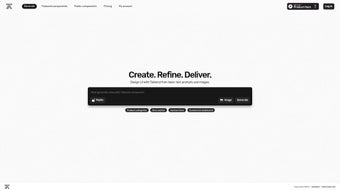
Tailwind AI is a cutting‑edge software application that brings artificial intelligence to the world of Tailwind CSS. Designed for web designers, front‑end developers, and UI/UX teams, the tool automates the generation of custom Tailwind components, allowing users to focus on creative direction rather than repetitive code writing. By feeding simple prompts or design sketches into Tailwind AI, the engine produces clean, responsive HTML markup paired with Tailwind utility classes that follow best‑practice conventions.
The platform’s intuitive dashboard reduces the learning curve for newcomers to Tailwind while still offering depth for seasoned developers who need rapid prototyping. Whether you are building a landing page, a dashboard, or a full‑scale SaaS product, Tailwind AI streamlines the design workflow, cuts down on manual styling, and helps maintain a consistent visual language across projects. Because the software integrates directly with popular code editors and version‑control systems, the generated components can be instantly committed to a repository, keeping the development pipeline fluid and secure.
In short, Tailwind AI positions itself as a “design‑assistant” that merges AI creativity with the rigor of Tailwind’s utility‑first methodology, promising faster turn‑around times, fewer UI bugs, and a more enjoyable design experience. The solution also emphasizes data privacy, running all AI calculations on encrypted cloud servers and never storing design prompts longer than required. As the Tailwind ecosystem evolves, the AI model receives monthly updates, ensuring compatibility with the latest version of Tailwind CSS and its expanding plugin ecosystem.
This combination of speed, accuracy, and security makes Tailwind AI a compelling addition to any modern web‑development toolbox.
Key Features, Installation & Compatibility
Tailwind AI’s feature set is built around the core promise of turning high‑level ideas into production‑ready code in seconds. The AI‑generated components respect your existing tailwind.config.js, automatically inheriting custom colors, fonts, and plugin configurations. This eliminates the tedious copy‑and‑paste work that usually follows a design handoff.
The real‑time preview pane lets you see how a component behaves across breakpoints, and a visual slider makes it easy to tweak spacing, typography, or color without writing a single utility class by hand. For teams that already use IDE extensions, Tailwind AI offers plugins for VS Code, JetBrains, and Sublime Text, allowing you to summon the generation command directly from the editor’s command palette. If you prefer a cloud‑first workflow, the web app requires only a modern browser and an internet connection; you can sign up at tailwindai.com, create a free account, and start generating immediately.
Desktop users can download a signed installer for Windows 10/11 or macOS Catalina and later; the installer is under 150 MB because the heavy AI model is streamed from the cloud on first use, keeping the local footprint small. Mobile developers can also install a companion app from the Apple App Store or Google Play Store, giving them the ability to generate quick UI snippets while reviewing mockups on the go.
Compatibility has been a priority from day one. Tailwind AI officially supports the following operating systems: Windows 10/11, macOS Catalina and newer, Linux (Ubuntu 20.04+, Fedora 34+), iOS 14+, and Android 9+. The software detects the version of Tailwind CSS used in your project (currently v3.x) and adjusts its generation logic accordingly.
For CI/CD pipelines, a RESTful API and a lightweight CLI tool are available, enabling automated component generation during build or deployment stages. This is especially useful for large teams that want to enforce a consistent UI language across multiple repositories. Installation is straightforward: after downloading the appropriate installer, run the setup wizard, accept the license agreement, and log in with your Tailwind AI credentials.
The first launch prompts you to connect your preferred code editor, after which a permanent API token is created and stored securely on your machine. From that point forward, generating a component is as simple as typing a natural‑language prompt—“responsive card with image, title, and CTA button”—and watching the AI produce a ready‑to‑use snippet that can be copied, edited, or committed directly to Git. All data transmitted between your device and Tailwind AI’s servers is encrypted with TLS 1.3, and the service complies with GDPR and CCPA regulations, ensuring that proprietary design assets remain private.
- AI‑Generated Tailwind Components: Input a brief description or upload a wireframe and receive ready‑to‑use HTML with Tailwind classes.
- Responsive Design Engine: Automatic responsive variants (sm:, md:, lg:, xl:) based on component context.
- Live Preview & Editing: Real‑time visual preview with sliders for colors, spacing, and typography.
- Design System Integration: Sync with existing design tokens or style guides for brand consistency.
- IDE Plugins: Extensions for VS Code, JetBrains, and Sublime Text for in‑editor generation.
- Version Control Ready: Export snippets with Git‑compatible commit messages and changelog notes.
- Secure Cloud Processing: Encrypted servers ensure design data never leaks.
- Multi‑Platform Access: Web app, desktop client for Windows & macOS, and mobile companion for iOS & Android.
- Continuous Updates: Monthly model refinements incorporate the latest Tailwind releases.
- Free Tier & Flexible Pricing: Unlimited generation for personal projects; premium plans for teams and API access.
Pros, Cons & Frequently Asked Questions
Pros
- Massively speeds up component creation, reducing repetitive coding.
- Maintains Tailwind best practices automatically, lowering the chance of CSS bloat.
- Real‑time preview helps avoid design‑to‑code mismatches.
- Cross‑platform availability (Web, Windows, macOS, iOS, Android).
- Generous free tier suitable for solo designers and hobby projects.
- Secure cloud processing protects proprietary design data.
- Seamless IDE integration streamlines workflow for developers.
- API and CLI enable automation in CI/CD pipelines.
- Monthly AI model updates keep the tool aligned with Tailwind’s evolution.
- Responsive engine automatically adds break‑point utilities.
Cons
- Advanced customization still requires manual tweaking for highly unique UI patterns.
- Premium features (team collaboration, API access) are subscription‑based.
- Initial AI prompts may need refinement to achieve the exact layout you envision.
- Desktop installers are relatively large (≈150 MB) due to bundled AI models.
- Internet connection required for AI generation; offline mode is limited.
- Learning curve for natural‑language prompting can be steep for beginners.
FAQ
Is Tailwind AI free to use?
Yes, Tailwind AI offers a free tier that includes unlimited component generation for personal projects. Paid plans unlock team collaboration, API access, and priority model updates.
Can I integrate Tailwind AI with my existing Tailwind config?
Absolutely. During the first run, Tailwind AI scans for a tailwind.config.js file in your project root and automatically adopts custom colors, fonts, and plugins, ensuring generated components match your design system.
Do I need an internet connection to generate components?
Component generation relies on cloud‑based AI models, so an internet connection is required. However, you can save generated snippets locally and work offline after the initial download.
Is there a way to automate component generation in CI pipelines?
Yes, Tailwind AI provides a RESTful API and a CLI tool that can be invoked from build scripts. This enables automated generation of UI components during continuous integration or deployment processes.
What security measures protect my design data?
All data transmitted to Tailwind AI’s servers is encrypted with TLS 1.3. The service does not store prompts or generated code longer than necessary for processing, and it complies with GDPR and CCPA standards.
Conclusion & Call to Action
Tailwind AI has quickly become a vital addition to the modern web designer’s toolkit. By marrying the speed of AI with the flexibility of Tailwind CSS, it eliminates the most tedious parts of UI development while preserving creative control. Whether you are a freelance designer looking to ship prototypes faster, a startup team that needs consistent UI components, or an agency managing multiple brand guidelines, Tailwind AI delivers a secure, cross‑platform solution that scales with your workflow. The free tier lowers the barrier to entry, and the premium options provide the collaboration features that larger teams demand. If you’re ready to cut down on manual CSS writing, reduce design‑to‑code errors, and keep your projects on the cutting edge of both design and technology, now is the perfect moment to give Tailwind AI a try.
Download Tailwind AI today and start generating production‑ready Tailwind components in seconds. Click the button below to create your free account, explore the AI‑driven design assistant, and experience a faster, more enjoyable web design process.



.png)



